Games Design L3
Pixels
A pixel is not a small square!
Pixel Dimensions: Pixel dimensions tell us how many pixels are in our image from left to right and from top to bottom. It is shown by the width and height. It also tells us the file size. A smaller amount of pixels on an image tends to have lower quality.

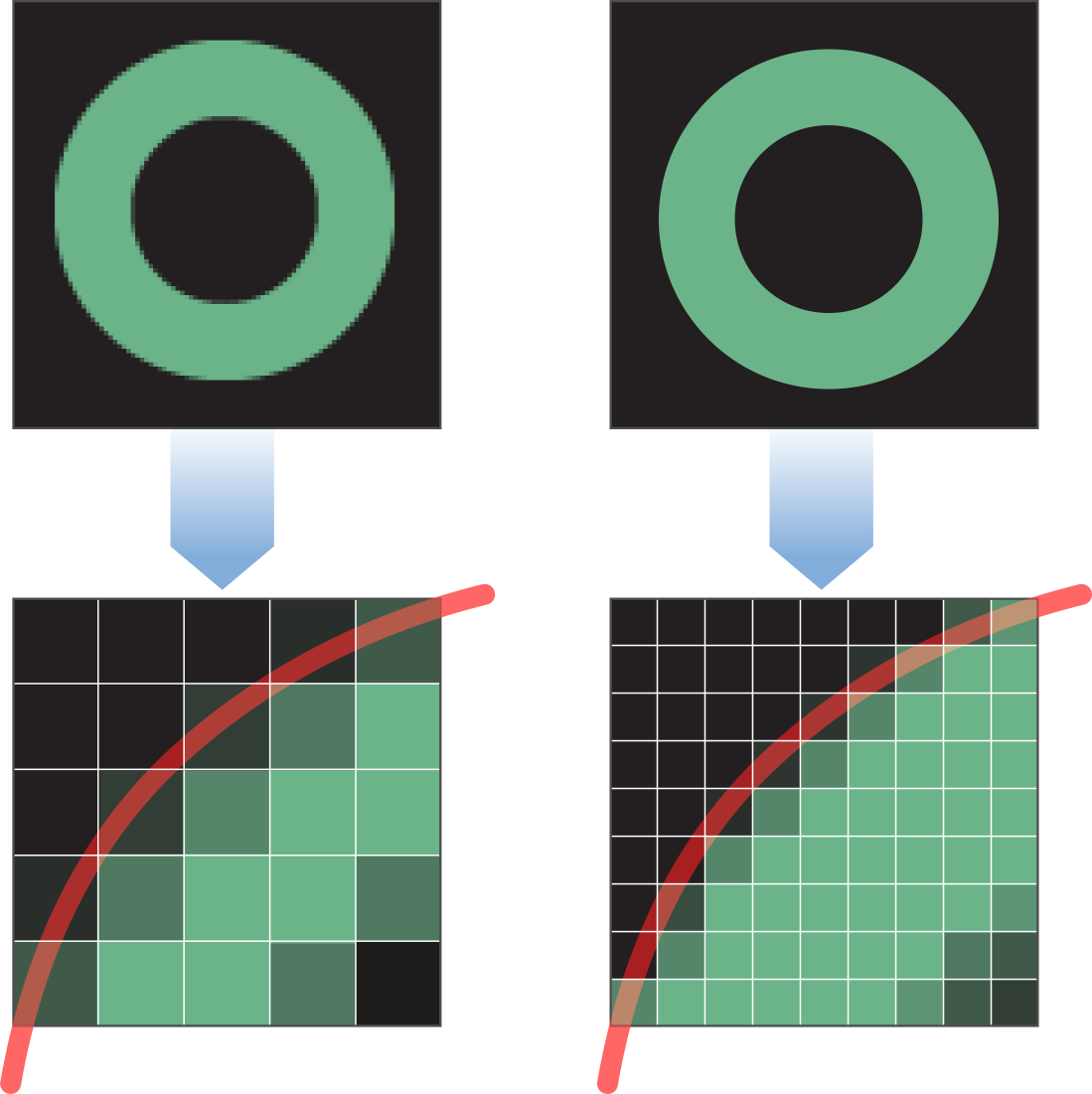 Picture/Image Resolution: Depending on how many pixels there are, the resolution can be high or low. If an image has high resolution it has better quality than a low resolution image. Digital zoom is one of the main reasons an image has a low resolution, by zooming into an image digitally it enlarges the image but it lowers the quality. Overall, the resolution is just the quality of the image, how clear is the image?
See how digital zoom can affect your image resolution:
Optical Zoom vs Digital Zoom:
http://www.youtube.com/watch?v=hCcCuusKHyM
Picture/Image: A picture is an individual piece of art or a photo that has been directly taken. An image is more to do with the optical process, or where you obtain an image online and edit it.
Intensity (Pixel Values): The pixel value describes how bright a pixel is and what color it should be. Red, blue and green components must be specified for each pixel. The higher the intensity the better the picture resolution.
Types of Digital Graphics
Raster Images (bmp, gif, tiff, jpeg): When you zoom into a raster image, the pixels are clearly visible and the quality is low. The image becomes more pixelated and blurry.
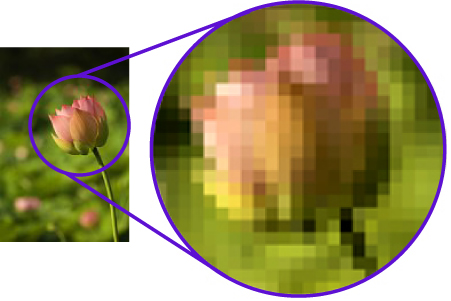 < This is an example of a zoomed in Raster Image.
Vector Images (psd, wmf, fla, ai): Vector images are the opposite of Raster images, when you zoom into a vector image the quality of the image stays the same. The image is still clear and has a high resolution. Vector images look smoother when zoomed in. You can't see individual pixels.

File extensions: File extensions tend to be the file type that is seen at the end of a file name eg: .png, .jpeg, .gif etc.
Compression: Compression is when you use approximations to reduce file size. You will have more file space after compression.
Image Capture: You can capture an image by using a scanner, digital camera or a phone. This is then put into the computer and it is often relevant when compressing images.
Optimising: Optimising is rearranging data to improve the quality or the efficiency.
Storage of an Image Asset: It is used for organising files and storing things like textures or graphics.
Optimising: Optimising is rearranging data to improve the quality or the efficiency.
Storage of an Image Asset: It is used for organising files and storing things like textures or graphics.

No comments:
Post a Comment